Tool Description
The PSFS is a student-centred and user-friendly system that facilitates the collation of peer feedback for courses with group projects. It features standardised yes/no descriptors that allow students to assess both their own contributions and those of their peers. This enables self-reflection while fostering the evaluation of teammates’ performance. The PSFS enables peers to provide constructive feedback on the SMU Graduate Learning Outcomes of Collaboration and Leadership across three categories: (1) Responsibility and commitment, (2) Contribution to team effectiveness, and (3) Contribution towards team deliverables (quality and quantity of work).
Ratings and Descriptors for Responsibility and Commitment |
|---|
| Rating: Yet to meet expectations | Rating: Meet expectations | Rating: Exceed expectations |
- Unresponsive to messages and emails from teammates
- Often missed group meetings and / or late
- Did not complete assigned tasks on time
- Did not prepare for meetings and discussions
- Did not contribute to the planning and organisation of work
| - Responsive to messages and emails from teammates
- Attended group meetings regularly and punctually
- Completed assigned tasks on time
- Prepared well for meetings and discussions
- Contributed to the planning and organisation of the work
| - Initiated meetings and agenda
- Demonstrated effective delegation of work
- Steered team to be on-task and on time when necessary
- Regularly assessed team’s progress to ensure that it is on track
|
Ratings and descriptors for towards team deliverables (Quality and quantity of work) |
|---|
| Rating: Yet to meet expectations | Rating: Meet expectations | Rating: Exceed expectations |
- Contributed poor quality work with errors and/or omissions
- Did less than fair share of work
- Contributed very minimally to the project deliverables
- Did not pull one’s weight at all
| - Contributed good quality and accurate work
- Did fair share of work
- Provided effective and timely feedback that enhanced quality of team deliverable
- Contributed significantly to the project deliverables
| - Contributed very high-quality work
- Did more than fair share of work
- Contributed in integrating and enhancing final team product
- Contributed very significantly to the project deliverables
|
Ratings and descriptors for team effectiveness |
|---|
| Rating: Yet to meet expectations | Rating: Meet expectations | Rating: Exceed expectations |
- Demonstrated uncooperative and negative attitude
- Not receptive to ideas and feedback
- Lack of active listening
- Demonstrated disrespect in communicating, e.g., when disagreeing
- Withheld relevant work-related information from teammates
| - Showed cooperative and positive attitude
- Demonstrated active listening
- Receptive to ideas and feedback
- Respectful in communicating, even when disagreeing
- Shared relevant work-related information with teammates in a timely manner
| - Demonstrated willingness to lead and also willingness to follow
- Took initiative to facilitate discussions
- Encouraged open communication in the team
- Facilitated effective conflict resolution
|
Note: The specific descriptors students can check off depend on the selected rating in the top row. For example, if they rate their peers as 'meet expectations', they will select the descriptors in that column only.
Teaching Strategy
This system is easy to navigate and use for students and instructors and, because it uses a standard measurement across courses, will provide valuable insights into learners' development over time, both for the learner and for the University. For instructors, please visit the PSFS User Guide for detailed screenshots and instructions on accessing PSFS.
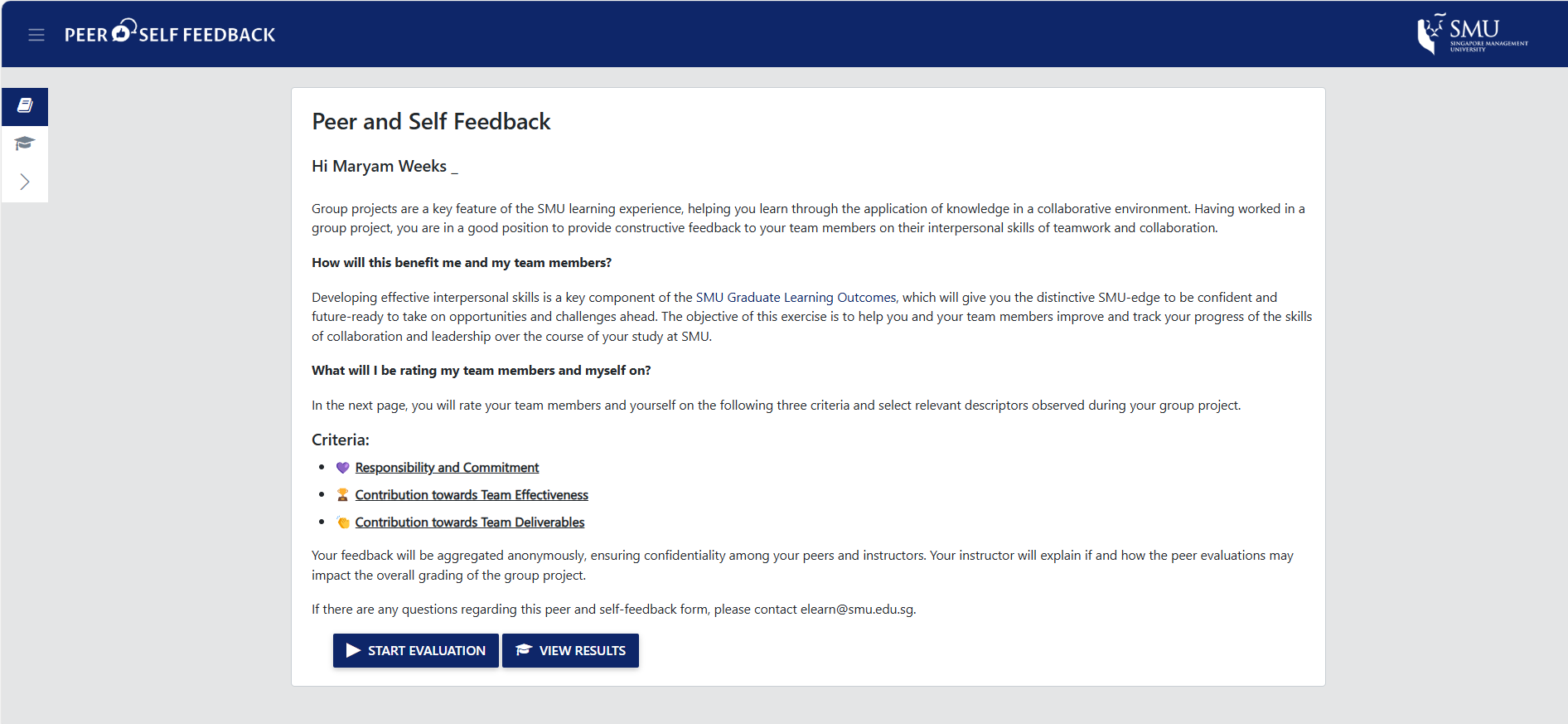
Upon entering the system, students will be presented with instructions on how to proceed with their evaluation.
During the evaluation process, they will be presented with a number of questions (Refer to the diagram above) and be tasked to evaluate based on these criteria.
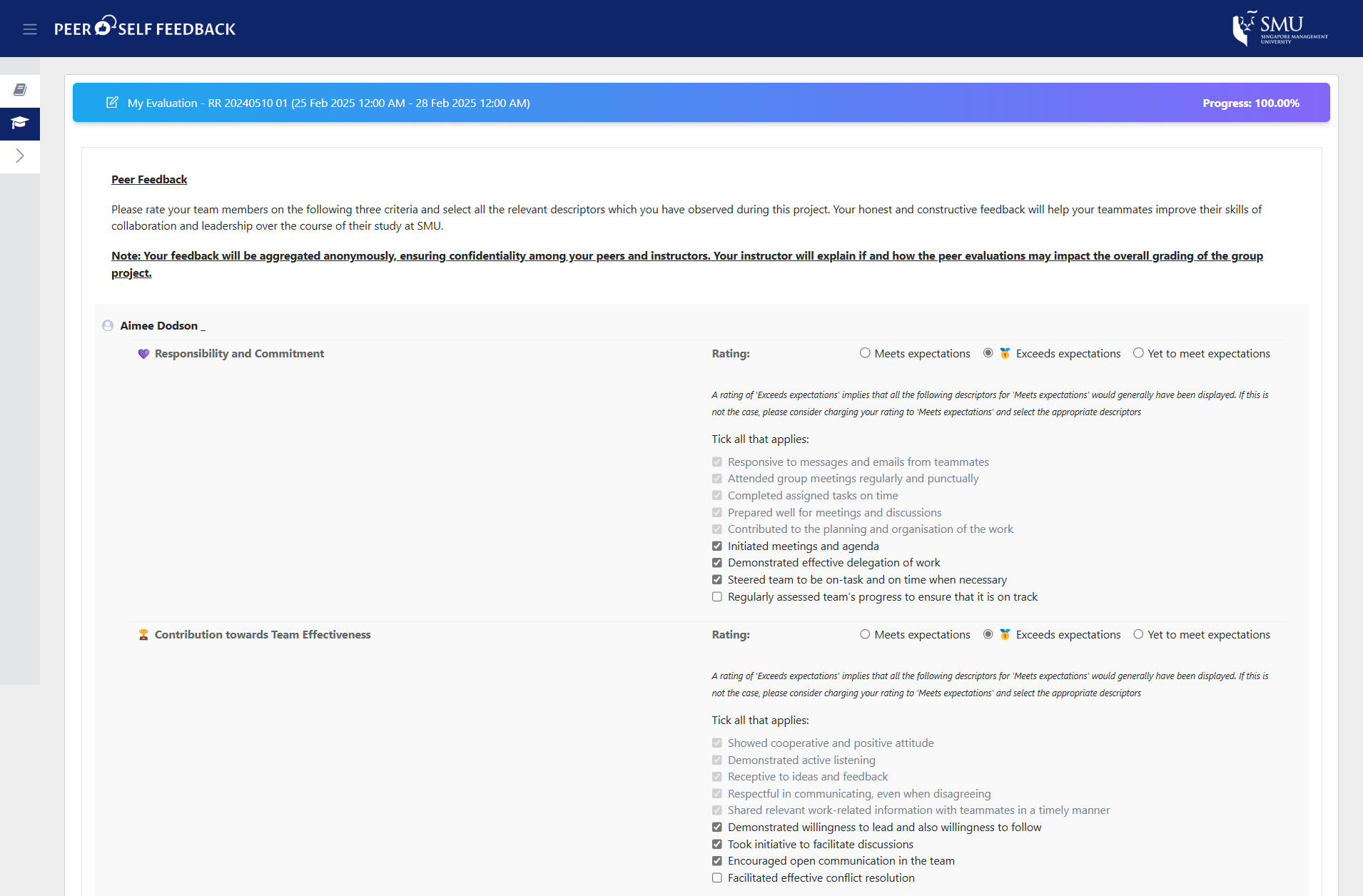
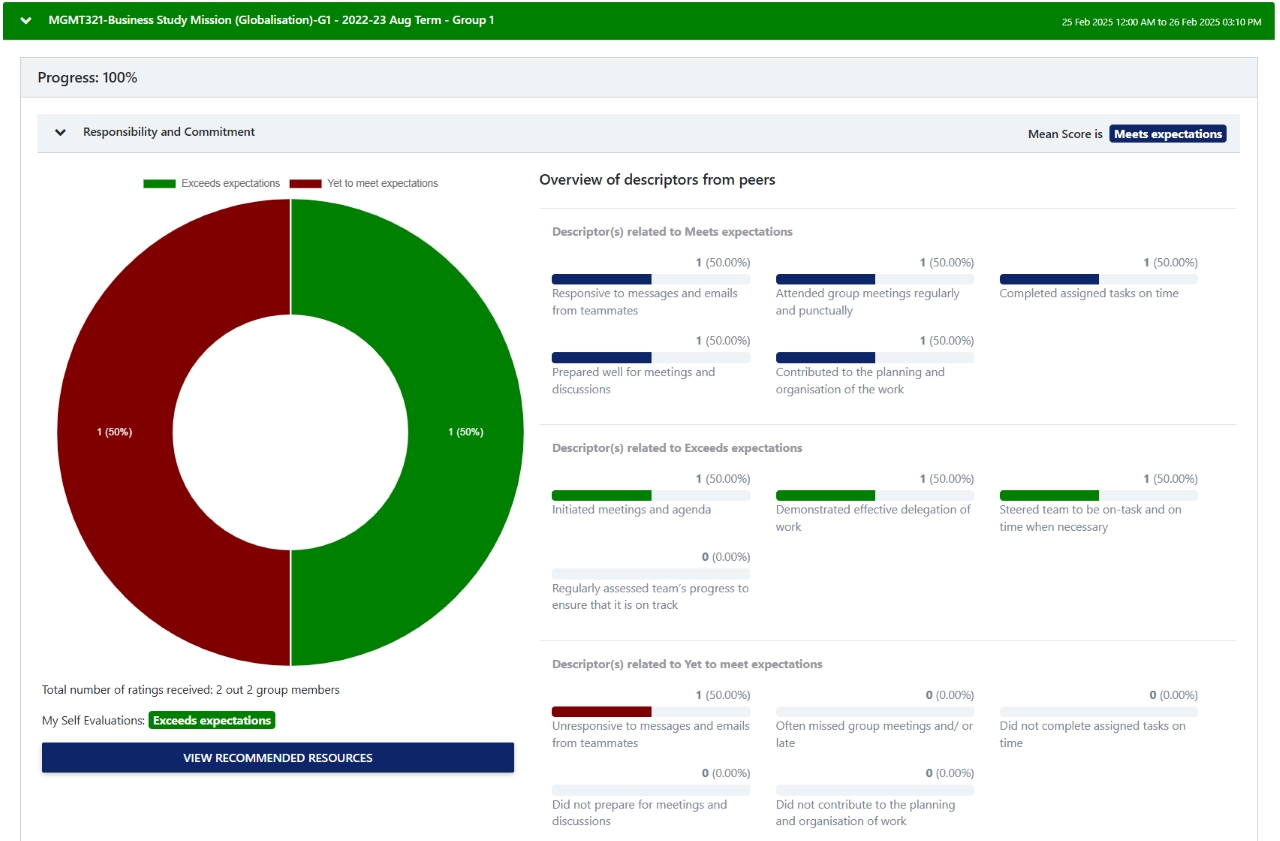
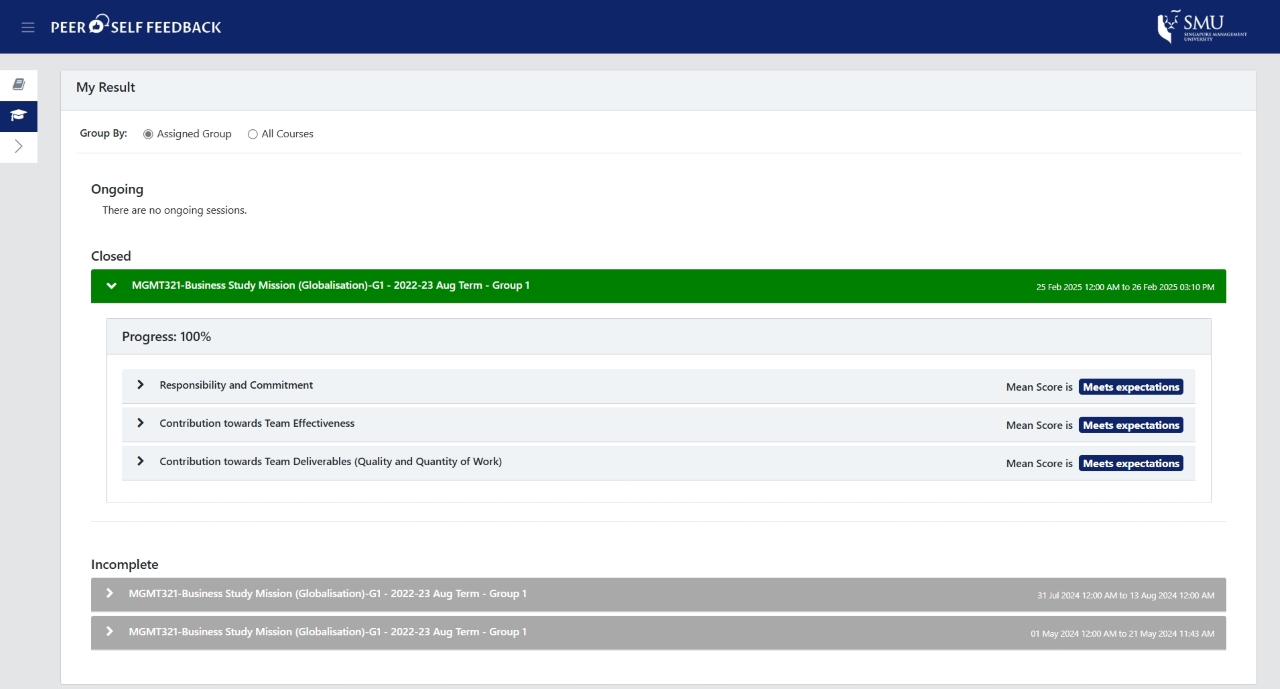
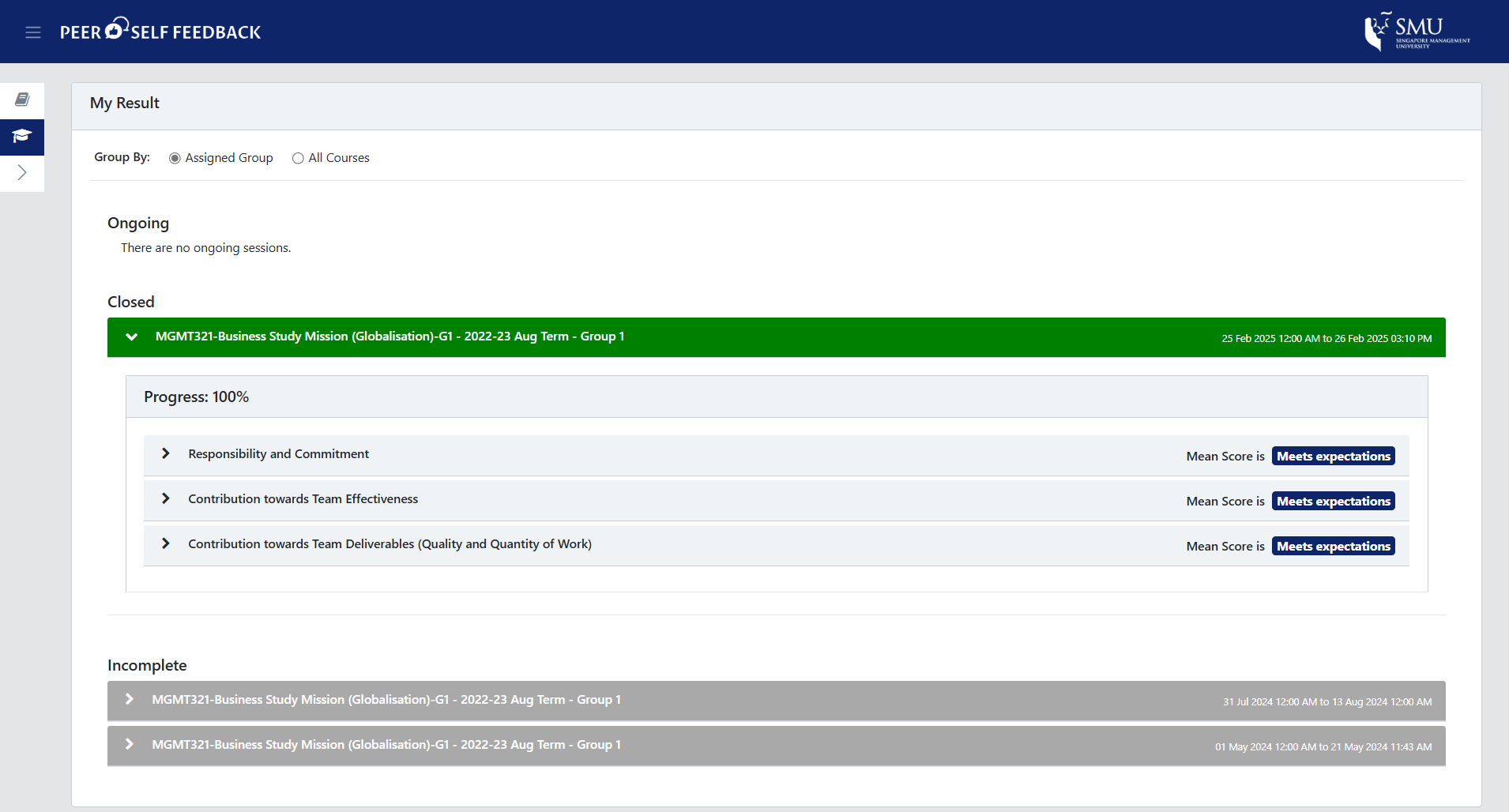
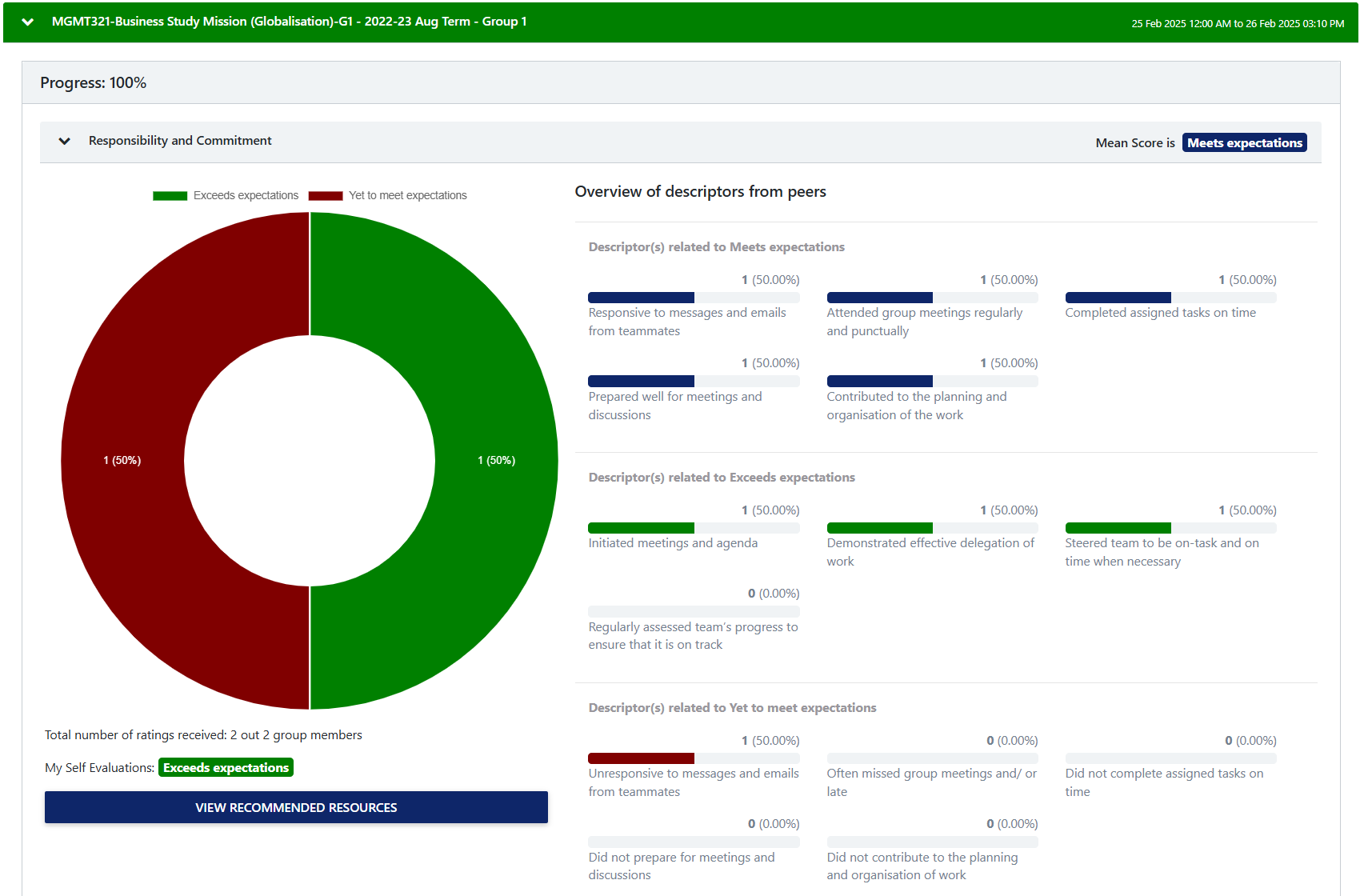
Once the evaluation is complete, students will be able to see the results of their group's evaluation.
Interested in adopting this tool for your course?
Students and Instructors can access the PSFS via the Peer Evaluation on their eLearn Home Page
This system is separate from the Peer Evaluation Tool
Peer Evaluation Tool (PET)
For instructors who prefer more flexibility, PET offers a customisable alternative. This tool allows instructors to create tailored evaluation questions that align with specific course objectives and assessment criteria. Students can respond to these questions, with both quantitative ratings and qualitative comments, as set by the instructor, assessing both their own performance and that of their peers. This provides an opportunity for deeper self-reflection and encourages more comprehensive feedback on individual contributions within the group. Instructors can refer to the survey items in the CATME Tool when designing their own custom questions for the peer evaluation tool. For more information, please visit the PET User Guide for detailed screenshots and instructions on accessing PET.
PSFS vs PET Comparison Table
| | PSFS | PET |
|---|
| Evaluation Questions | - Standardised evaluation questions in three categories: (1) Responsibility and commitment; (2) Contribution to team effectiveness; (3) Contribution towards team deliverables (quality and quantity of work)
- Uses fixed rating scale of "Yet to meet expectations", "Meet expectations" and "Exceeds expectations" with a set of selectable descriptors based on the given rating
| - No fixed questions as instructors have full flexibility to set any number of evaluation questions, scales, and scoring calculation methods (i.e., average, sum, weighted, or normalised)
- Instructors can also allow for evaluators to give targets qualitative comments for each evaluation question
|
|---|
| Customisation | - Uses a set of 14 standardised yes/no questions aligned with SMU GLOs of Collaboration and Leadership
- Instructors can add custom questions with the same criteria of evaluation
| - Flexible question creation, possibly aligned with SMU GLOs
- Instructors can create custom questions based on specific peer evaluation needs
|
|---|
| Setup and configuration | - Evaluation limited to self and own group members only
- Single evaluation point per module
| - Students can evaluate themselves, their own group members, other groups, and Teaching Assistants. Instructors can evaluate students and student groups.
- Supports multiple evaluation points (e.g., mid-term and final evaluations)
|
|---|
| Instructor View | - Instructors can view and download results by target and by evaluator and have full visibility of single-evaluator-single-target ratings and comments.
| - Instructors can view and download results by target and by evaluator and have full visibility of single-evaluator-single-target ratings and comments.
|
|---|
| Student input | - Students can only evaluate themselves and their own group members
| - Students can evaluate themselves, group members, other groups and/or their Teaching Assistants
|
|---|
| Student view | - Students can view their self-feedback via a student dashboard, which provides an overview of their contributions towards group projects
| - Instructor has control over which questions' ratings and/or comments are released to students when for each evaluation point (labeled "session")
|
|---|