

Utilising Peer Learning and Grading Tools
Instructors can enhance group assignments or projects through two tools available on eLearn: the Peer and Self Feedback System (PSFS) and the Peer Evaluation Tool (PET). These tools let students evaluate their own and their peers’ group contribution. This process not only creates a monitoring and feedback mechanism for group contribution but also helps students identify areas for improvement (e.g. come to meetings on time), fostering a culture of self-reflection and growth. Instructors have flexibility in how they incorporate these evaluations into their grading structure. They may choose to assign a specific weighting of the module grade to peer and self-evaluations (see Teaching Handbook p. 44 for assessment component guidelines). They can also use students’ self and peer feedback reports to inform their grading of students’ group work, allowing for a more comprehensive assessment of individual contributions and teamwork.
I. Peer and Self Feedback System (PSFS)
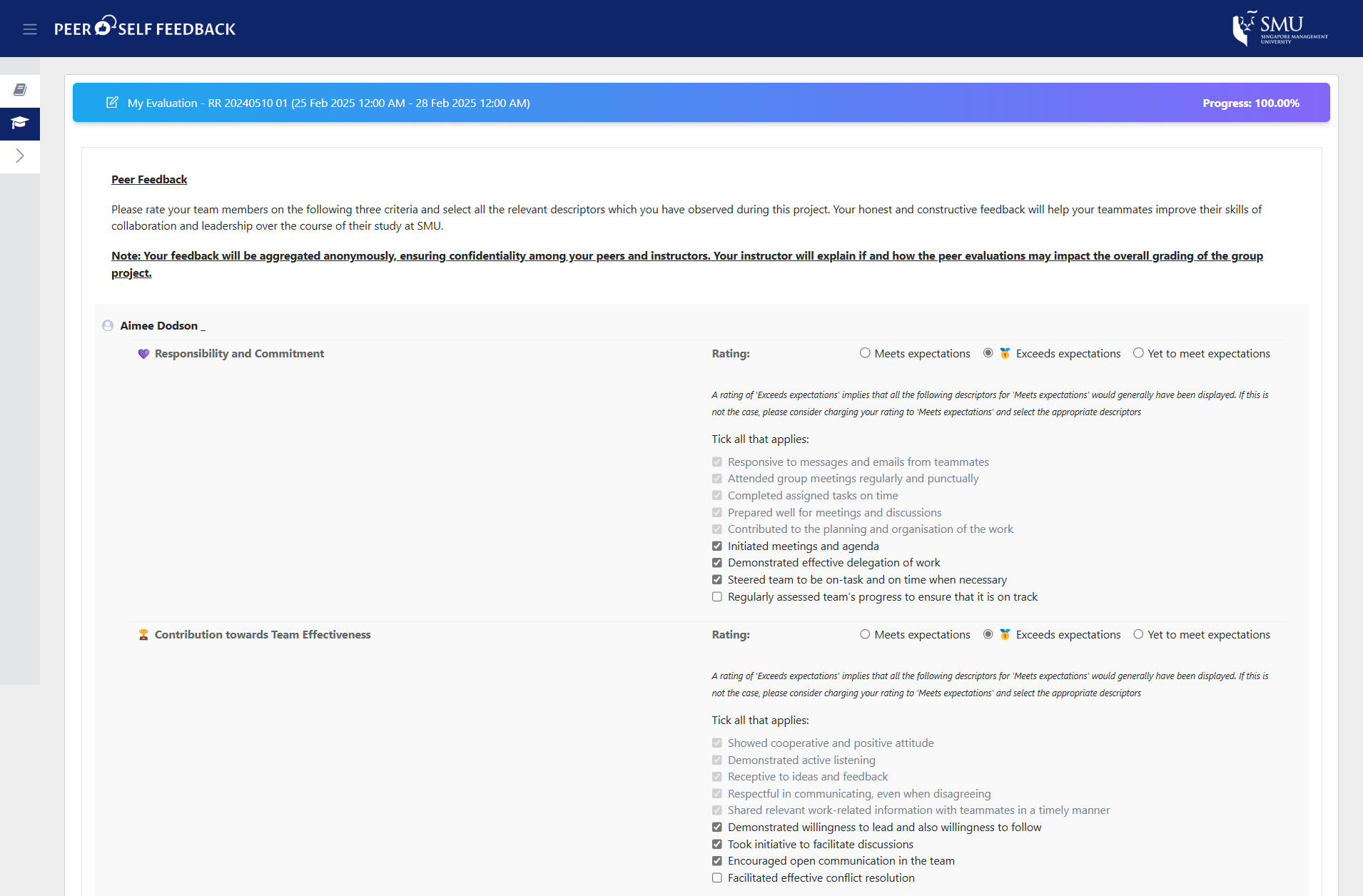
The PSFS is a student-centred and user-friendly system that facilitates the collation of peer feedback for courses with group projects. It features standardised yes/no descriptors that allow students to assess both their own contributions and those of their peers. This enables self-reflection while fostering the evaluation of teammates’ performance. The PSFS enables peers to provide constructive feedback on the SMU Graduate Learning Outcomes of Collaboration and Leadership across three categories: (1) Responsibility and commitment, (2) Contribution to team effectiveness, and (3) Contribution towards team deliverables (quality and quantity of work).
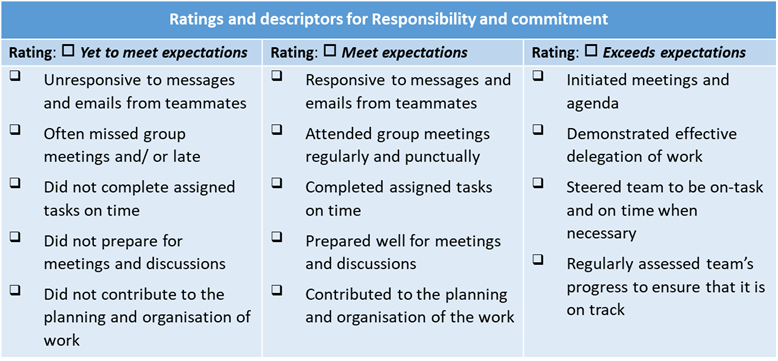
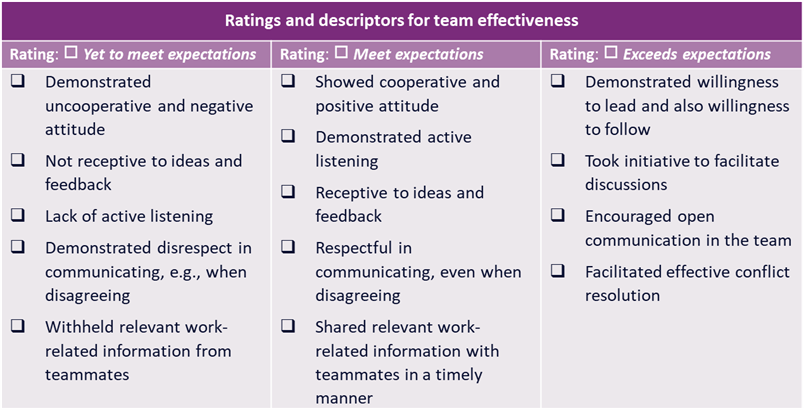
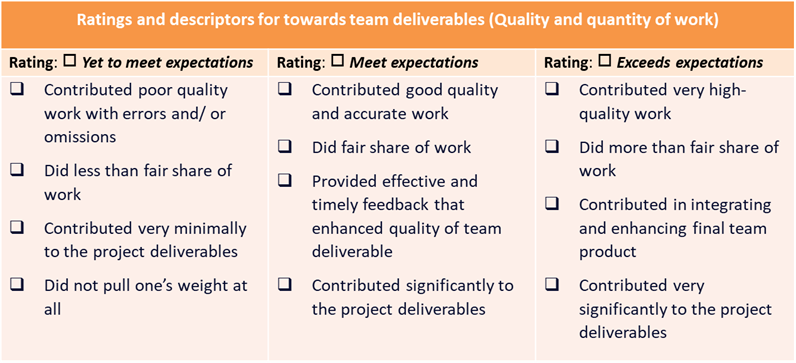
Note: The specific descriptors students can check off depend on the selected rating in the top row. For example, if they rate their peers as 'meet expectations', they will select the descriptors in that column only.
This system is easy to navigate and use for students and instructors and, because it uses a standard measurement across courses, will provide valuable insights into learners' development over time, both for the learner and for the University. For instructors, please visit the PSFS User Guide for detailed screenshots and instructions on accessing PSFS.
Upon entering the system, students will be presented with instructions on how to proceed with their evaluation.
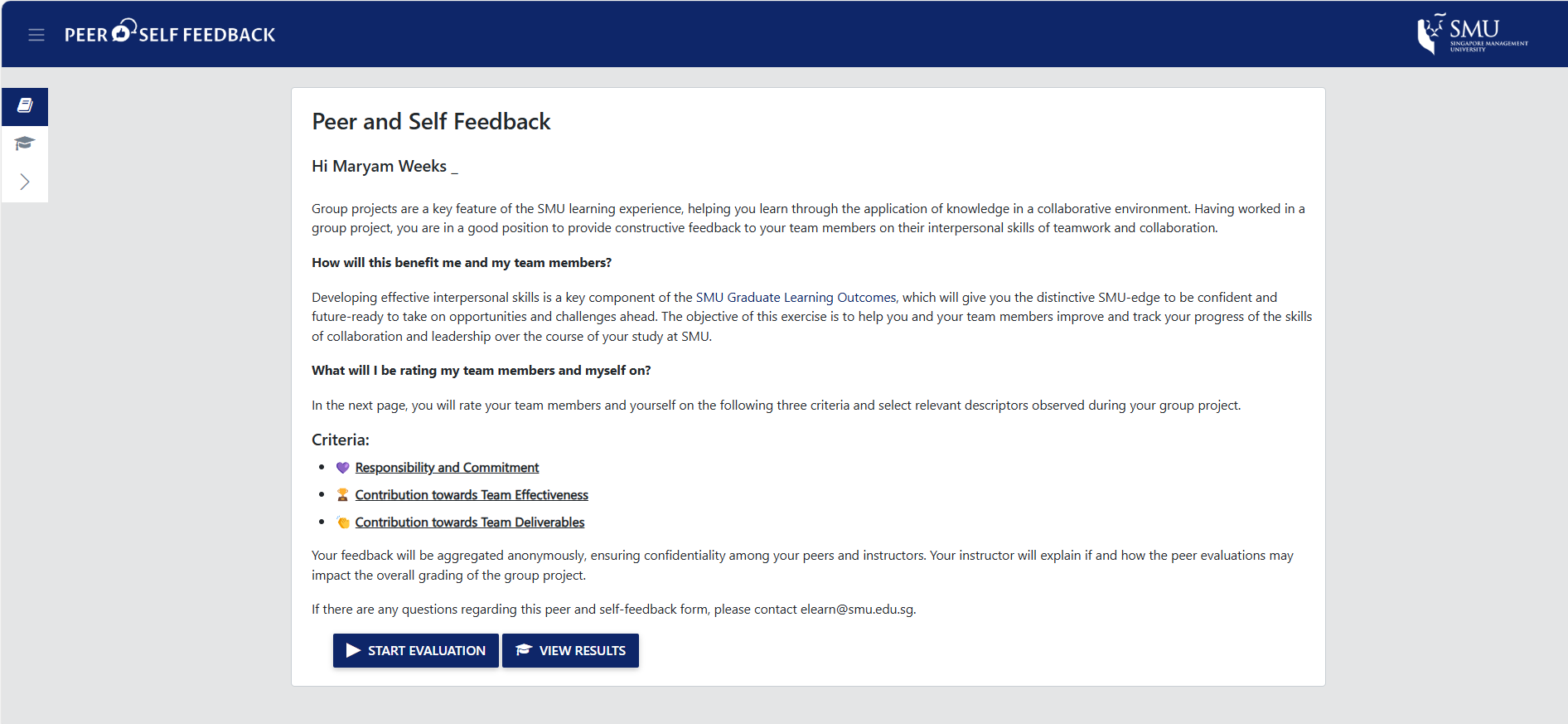
During the evaluation process, they will be presented with a number of questions (Refer to the diagram above) and be tasked to evaluate based on these criteria.
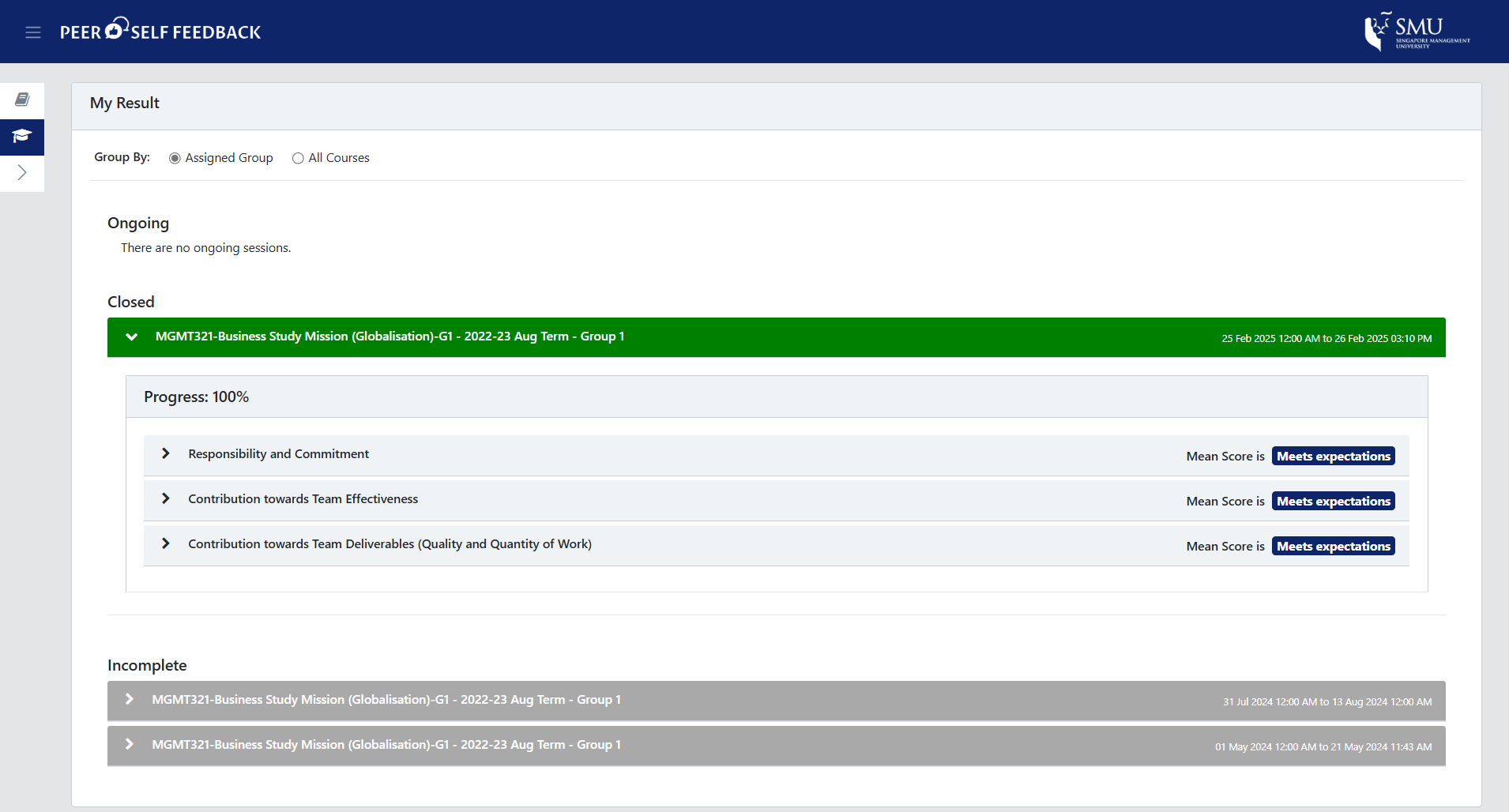
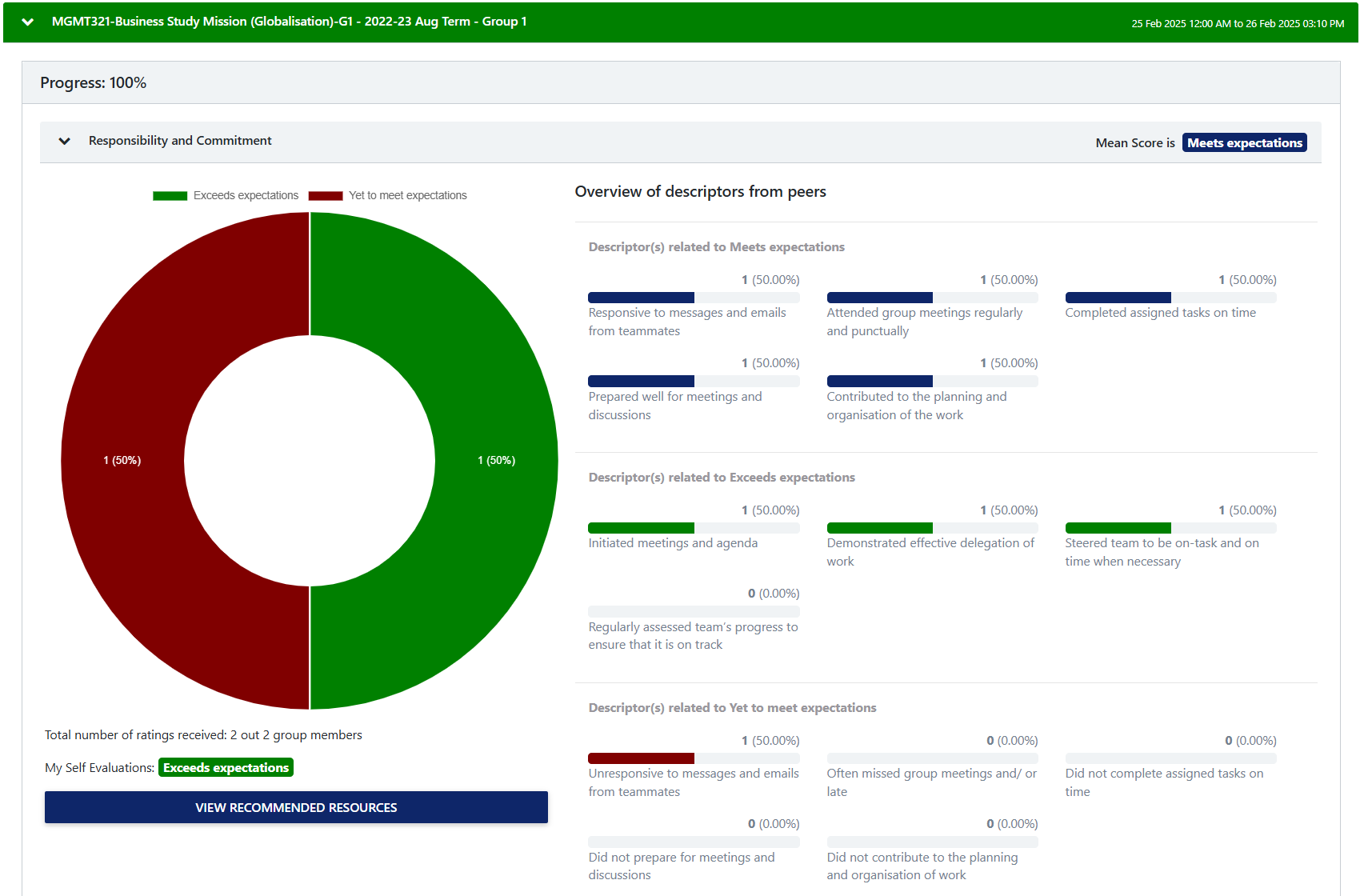
Once the evaluation is complete, students will be able to see the results of their group's evaluation.
II. Peer Evaluation Tool (PET)
For instructors who prefer more flexibility, PET offers a customisable alternative. This tool allows instructors to create tailored evaluation questions that align with specific course objectives and assessment criteria. Students can respond to these questions, with both quantitative ratings and qualitative comments, as set by the instructor, assessing both their own performance and that of their peers. This provides an opportunity for deeper self-reflection and encourages more comprehensive feedback on individual contributions within the group. Instructors can refer to the survey items in the CATME Tool when designing their own custom questions for the peer evaluation tool. For more information, please visit the PET User Guide for detailed screenshots and instructions on accessing PET.
PSFS vs PET Comparison Table
| PSFS | PET | |
|---|---|---|
| Evaluation Questions |
|
|
| Customisation |
|
|
| Setup and configuration |
User Guide: PSFS
|
User Guide: PET
|
| Instructor View |
|
|
| Student input |
|
|
| Student view |
|
|
Bibliography
- Carnegie Mellon University (n.d. b) How can I assess group work? https://www.cmu.edu/teaching/designteach/design/instructionalstrategies/groupprojects/assess.html
- UNSW Sydney (n.d. a). Guide to Group Work. https://www.student.unsw.edu.au/groupwork